How to Sculpt Hyper Detail Without Buying Custom Brushes
#blender3d #gamedev #3danimation
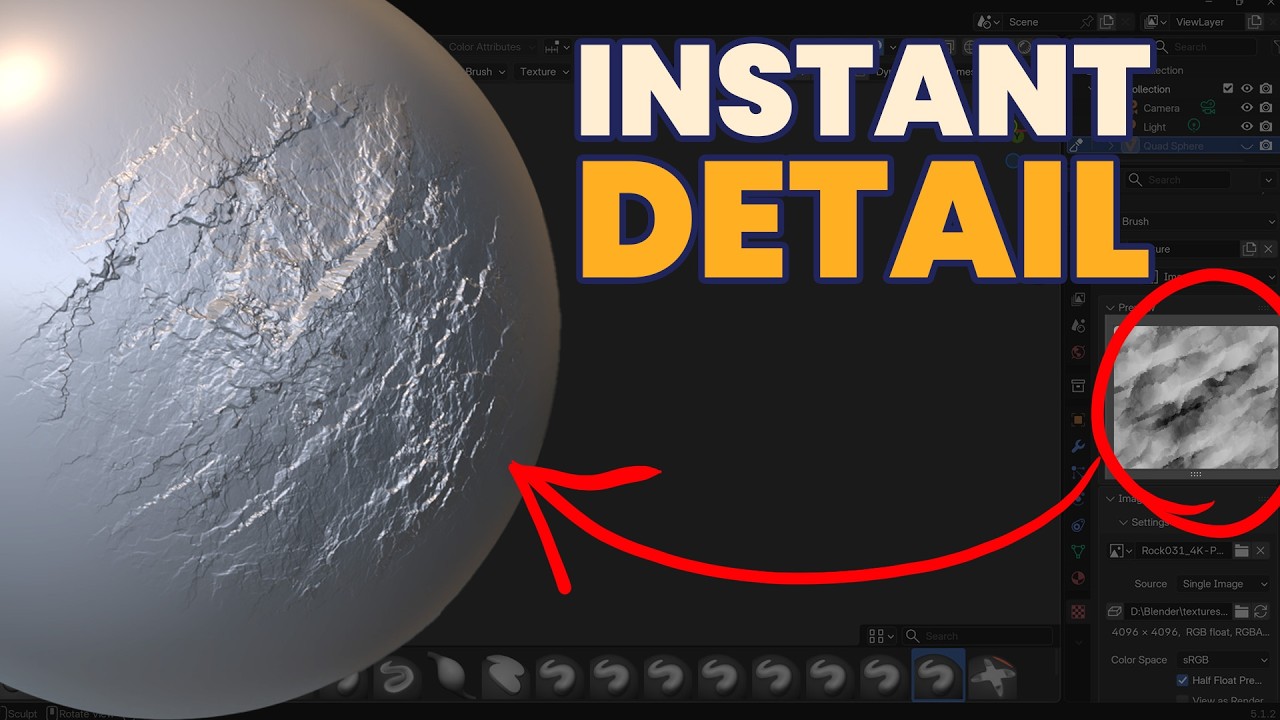
In Blender, when it comes to those hyper-detailed surfaces, the pros aren't sculpting every single crack, wrinkle, or pore by hand. They essentially cheat and use custom alpha brushes that stamp realistic details onto the sculpt instantly.
In this video, I’m going to show you exactly how to set up these custom brushes in Blender, and give you a great workflow hack for finding an endless supply of high-quality brush textures or stamps completely for free by using PBR displacement maps.
? LEVEL UP YOUR WORLD BUILDING
Want to go from a completely blank viewport to a fully realized, game-ready scene? Check out my newly remastered Environment Design Course (updated for Blender 5!):
https://gamedev.tv/courses/blender-environment-artist-5?ref=ywqzmjc
⏱️ TIMESTAMPS
0:00 - The "Hyper-Detail" Sculpting Secret (Intro)
0:26 - How the Pros Build Massive Landscapes
0:46 - Setting up Blender for High-Detail Sculpting
1:04 - Mesh Density & Using Remesh Voxel Size Optimization
1:36 - Creating and Saving a Custom Brush Asset
2:14 - Activating Texture Properties and Loading Images
3:03 - The Free Alpha Brush Hack: Using PBR Displacement Maps
3:36 - Best Texture Settings for Sculpting (PNG vs JPEG & 4K Resolution)
4:20 - Setting the Correct Stroke Method (Anchored Mapping Tutorial)
4:57 - Saving Your Custom Brush Changes to the User Asset Library
5:31 - Conclusion & Next Steps
MY COURSES
My Complete Blender Creator single course only $28
https://www.gamedev.tv/courses/complete-blender-creator?ref=ywqzmjc
My Mega Pathway Course - build your own asset packs $60: https://www.gamedev.tv/bundles/blender-pathway?ref=ywqzmjc
SOCIALS:
Substack for Articles & Written Tutorials: https://grantabbitt.substack.com/
Gumroad For Free Beginners Booklet: https://grantabbitt.gumroad.com/
My Website: http://www.gabbitt.co.uk
Discord: https://discord.gg/uwF2fcm
Buy Me a Coffee: https://ko-fi.com/M4M21GGIWE
OTHER USEFUL YOUTUBE TUTORIALS:
Learn the basics of Blender 5: https://www.youtube.com/playlist?list=PLn3ukorJv4vv9_e-htADGsPX9TMaQpHV8
Get good at blender series: https://www.youtube.com/playlist?list=PLn3ukorJv4vvv3ZpWJYvV5Tmvo7ISO-NN
Learn Sculpting playlist: https://www.youtube.com/playlist?list=PLn3ukorJv4vvJM7tvjet4PP-LVjJx13oB
In Blender, when it comes to those hyper-detailed surfaces, the pros aren't sculpting every single crack, wrinkle, or pore by hand. They essentially cheat and use custom alpha brushes that stamp realistic details onto the sculpt instantly.
In this video, I’m going to show you exactly how to set up these custom brushes in Blender, and give you a great workflow hack for finding an endless supply of high-quality brush textures or stamps completely for free by using PBR displacement maps.
? LEVEL UP YOUR WORLD BUILDING
Want to go from a completely blank viewport to a fully realized, game-ready scene? Check out my newly remastered Environment Design Course (updated for Blender 5!):
https://gamedev.tv/courses/blender-environment-artist-5?ref=ywqzmjc
⏱️ TIMESTAMPS
0:00 - The "Hyper-Detail" Sculpting Secret (Intro)
0:26 - How the Pros Build Massive Landscapes
0:46 - Setting up Blender for High-Detail Sculpting
1:04 - Mesh Density & Using Remesh Voxel Size Optimization
1:36 - Creating and Saving a Custom Brush Asset
2:14 - Activating Texture Properties and Loading Images
3:03 - The Free Alpha Brush Hack: Using PBR Displacement Maps
3:36 - Best Texture Settings for Sculpting (PNG vs JPEG & 4K Resolution)
4:20 - Setting the Correct Stroke Method (Anchored Mapping Tutorial)
4:57 - Saving Your Custom Brush Changes to the User Asset Library
5:31 - Conclusion & Next Steps
MY COURSES
My Complete Blender Creator single course only $28
https://www.gamedev.tv/courses/complete-blender-creator?ref=ywqzmjc
My Mega Pathway Course - build your own asset packs $60: https://www.gamedev.tv/bundles/blender-pathway?ref=ywqzmjc
SOCIALS:
Substack for Articles & Written Tutorials: https://grantabbitt.substack.com/
Gumroad For Free Beginners Booklet: https://grantabbitt.gumroad.com/
My Website: http://www.gabbitt.co.uk
Discord: https://discord.gg/uwF2fcm
Buy Me a Coffee: https://ko-fi.com/M4M21GGIWE
OTHER USEFUL YOUTUBE TUTORIALS:
Learn the basics of Blender 5: https://www.youtube.com/playlist?list=PLn3ukorJv4vv9_e-htADGsPX9TMaQpHV8
Get good at blender series: https://www.youtube.com/playlist?list=PLn3ukorJv4vvv3ZpWJYvV5Tmvo7ISO-NN
Learn Sculpting playlist: https://www.youtube.com/playlist?list=PLn3ukorJv4vvJM7tvjet4PP-LVjJx13oB

Grant Abbitt (Gabbitt)
This channel is about games design and game art. I use Blender, Photoshop, Krita and a few other programmes. My tutorials are mainly about How to use Blender. I also Vlog now and again about freelancing, being creative, and the creative industries.
Live ...
Master the Art of Listening #CareerTips #CommunicationSkills #SelfImprovement
Grant Abbitt (Gabbitt)
Blender 5 Complete Beginners Guide - FREE COURSE - Part 8 - Lights & Composit
Grant Abbitt (Gabbitt)