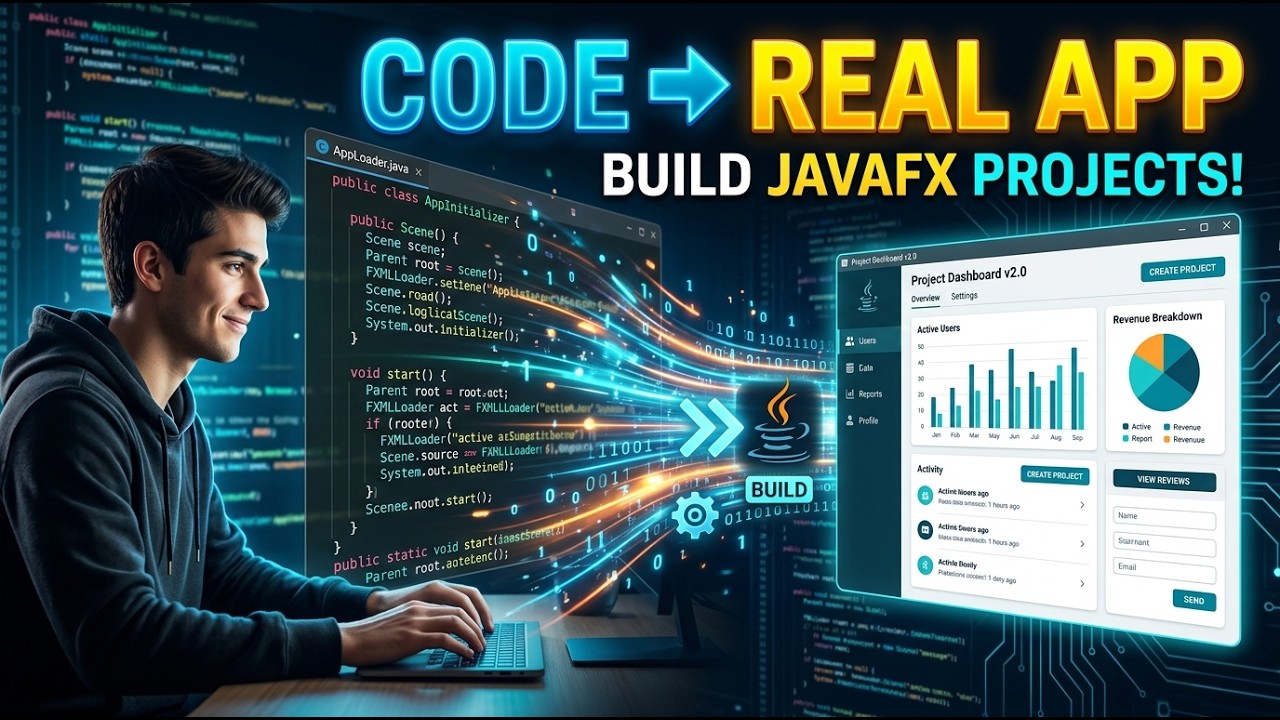
Java + JavaFX for Intermediate Users | Build Real Desktop Applications Step-by-Step | JavaFX Project
? Stay Connected:
? Subscribe Now & Start Your Web Development Journey Today!
? [https://www.youtube.com/channel/UCqLYJkKUl5WqdlsoU_5Q9IQ]
Like Facebook page for more Like Facebook page for more update and Videos :https://www.facebook.com/TheTechNerdBD/
Java + JavaFX for Intermediate Users | Build Real Desktop Applications Step-by-Step | JavaFX Project
Welcome to the ultimate Java + JavaFX for Intermediate Users full course, where you will learn how to build real-world desktop applications step by step using modern GUI development techniques. If you already understand the basics of Java and want to move beyond console-based programs into visually rich and interactive desktop applications, this course is designed exactly for you.
This is not just another theoretical tutorial. This is a complete hands-on journey where you will transform your intermediate Java knowledge into practical software development skills using JavaFX. By the end of this course, you will have the confidence and experience to build professional-level desktop applications that look modern, perform efficiently, and follow best practices.
JavaFX is one of the most powerful tools available for Java developers who want to create graphical user interfaces. Instead of working with plain text outputs, you will learn how to design visually appealing applications with buttons, forms, layouts, animations, and real-time user interaction. This course focuses on building real projects so that you can understand how everything works in a real development environment.
We start by reinforcing the core concepts that every intermediate Java developer must understand before diving into JavaFX. This includes event handling, object-oriented programming principles, modular coding, and structuring applications in a scalable way. Once your foundation is solid, we move into JavaFX where the real magic begins.
You will learn how to set up JavaFX properly and understand its architecture. Many developers struggle with configuration, but this course simplifies everything so you can focus on building instead of troubleshooting. You will explore the structure of JavaFX applications, including stages, scenes, layouts, and controls.
From there, you will start building user interfaces step by step. You will learn how to design layouts using different containers such as VBox, HBox, GridPane, and BorderPane. These layout managers help you organize elements in your application and create clean, responsive designs that adjust to different screen sizes.
One of the most important aspects of GUI development is event handling. In this course, you will master how to handle user interactions such as button clicks, keyboard input, mouse events, and more. You will understand how events flow through your application and how to write clean, efficient code to respond to those events.
We also dive deep into working with UI controls. You will learn how to use buttons, labels, text fields, password fields, checkboxes, radio buttons, combo boxes, tables, and more. Each control will be explained with practical examples so you can understand how to use them effectively in real applications.
As you progress, you will learn how to separate your application logic from the user interface using best practices like MVC (Model-View-Controller). This is a crucial skill for intermediate developers who want to build scalable and maintainable applications. Instead of writing messy code, you will structure your projects in a professional way.
Another powerful feature of JavaFX is FXML. You will learn how to design user interfaces using FXML files, which allow you to separate design from logic. This makes your applications cleaner, easier to manage, and more flexible. You will also learn how to connect FXML with controllers and handle events efficiently.
Styling is what makes your application stand out. In this course, you will learn how to use CSS with JavaFX to create modern and visually appealing interfaces. You will understand how to customize colors, fonts, spacing, and animations to give your application a professional look.
We also cover working with images, icons, and multimedia elements. You will learn how to load images, display them in your application, and create a visually engaging experience for users. This is especially useful when building real-world applications.
? Subscribe Now & Start Your Web Development Journey Today!
? [https://www.youtube.com/channel/UCqLYJkKUl5WqdlsoU_5Q9IQ]
Like Facebook page for more Like Facebook page for more update and Videos :https://www.facebook.com/TheTechNerdBD/
Java + JavaFX for Intermediate Users | Build Real Desktop Applications Step-by-Step | JavaFX Project
Welcome to the ultimate Java + JavaFX for Intermediate Users full course, where you will learn how to build real-world desktop applications step by step using modern GUI development techniques. If you already understand the basics of Java and want to move beyond console-based programs into visually rich and interactive desktop applications, this course is designed exactly for you.
This is not just another theoretical tutorial. This is a complete hands-on journey where you will transform your intermediate Java knowledge into practical software development skills using JavaFX. By the end of this course, you will have the confidence and experience to build professional-level desktop applications that look modern, perform efficiently, and follow best practices.
JavaFX is one of the most powerful tools available for Java developers who want to create graphical user interfaces. Instead of working with plain text outputs, you will learn how to design visually appealing applications with buttons, forms, layouts, animations, and real-time user interaction. This course focuses on building real projects so that you can understand how everything works in a real development environment.
We start by reinforcing the core concepts that every intermediate Java developer must understand before diving into JavaFX. This includes event handling, object-oriented programming principles, modular coding, and structuring applications in a scalable way. Once your foundation is solid, we move into JavaFX where the real magic begins.
You will learn how to set up JavaFX properly and understand its architecture. Many developers struggle with configuration, but this course simplifies everything so you can focus on building instead of troubleshooting. You will explore the structure of JavaFX applications, including stages, scenes, layouts, and controls.
From there, you will start building user interfaces step by step. You will learn how to design layouts using different containers such as VBox, HBox, GridPane, and BorderPane. These layout managers help you organize elements in your application and create clean, responsive designs that adjust to different screen sizes.
One of the most important aspects of GUI development is event handling. In this course, you will master how to handle user interactions such as button clicks, keyboard input, mouse events, and more. You will understand how events flow through your application and how to write clean, efficient code to respond to those events.
We also dive deep into working with UI controls. You will learn how to use buttons, labels, text fields, password fields, checkboxes, radio buttons, combo boxes, tables, and more. Each control will be explained with practical examples so you can understand how to use them effectively in real applications.
As you progress, you will learn how to separate your application logic from the user interface using best practices like MVC (Model-View-Controller). This is a crucial skill for intermediate developers who want to build scalable and maintainable applications. Instead of writing messy code, you will structure your projects in a professional way.
Another powerful feature of JavaFX is FXML. You will learn how to design user interfaces using FXML files, which allow you to separate design from logic. This makes your applications cleaner, easier to manage, and more flexible. You will also learn how to connect FXML with controllers and handle events efficiently.
Styling is what makes your application stand out. In this course, you will learn how to use CSS with JavaFX to create modern and visually appealing interfaces. You will understand how to customize colors, fonts, spacing, and animations to give your application a professional look.
We also cover working with images, icons, and multimedia elements. You will learn how to load images, display them in your application, and create a visually engaging experience for users. This is especially useful when building real-world applications.

Full Course
This channel is about full courses any type of Content Software So Subscribe For Upcoming New Fully Free Course By Full course....