Easy Light Rays in Blender (Eevee + Cycles)
25% OFF WITH CODE "LIGHTRAY"
? Free Blender Tools & Assets ?
?️ MoGraph Toolbox (Free Tools)
https://superhivemarket.com/products/blender-mograph-toolbox
? Stop-Mo (Free Stop Motion Addon)
https://superhivemarket.com/products/stop-mo
? Pixel Kit (Free Pixel Art Addon)
https://superhivemarket.com/products/blender-pixel-kit
⚡ Dynamic VFX Pack (Free Sample Pack)
https://blendermarket.com/products/blender-dynamic-vfx---elemental-asset-pack?ref=434
? Crafty Asset Pack (Free Sample Pack)
https://blendermarket.com/products/crafty-asset-pack?ref=434
❤️ Support the Channel
Patreon
https://www.patreon.com/southernshotty
Skillshare
https://www.skillshare.com/r/user/southernshotty
────────────────────────────────────────
? Tag me in your artwork!
Instagram: https://www.instagram.com/southernshotty/
X (Twitter): https://twitter.com/SouthernShotty
@SouthernShotty
────────────────────────────────────────
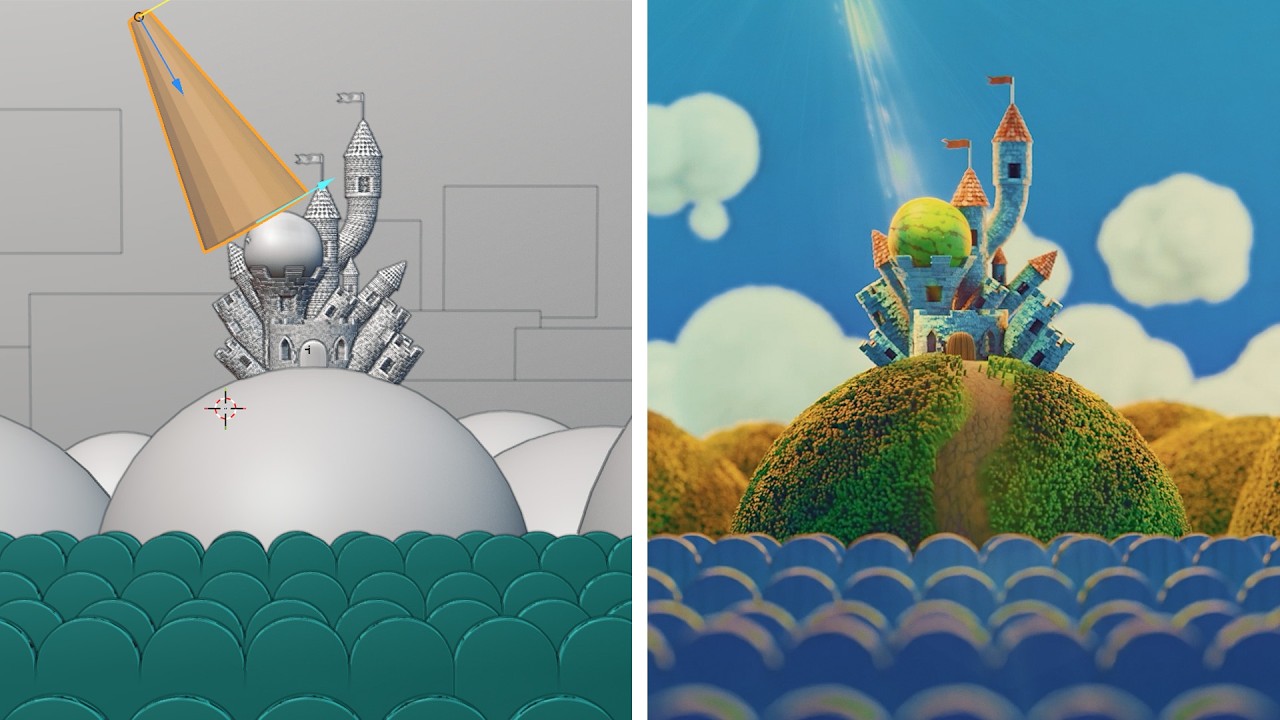
Create fully controllable light rays in Blender without filling your entire scene with expensive volumetrics. In this tutorial, I'll show you how to build a procedural light ray system that works in both Eevee and Cycles, using Geometry Nodes and a custom volumetric shader.
Instead of relying on scene-wide fog, this technique contains the volumetric effect inside a simple cone, giving you direct artistic control over the shape, length, color, noise, animation, and placement of your light rays while helping keep render times manageable.
In This Video You'll Learn
• How to create localized volumetric light rays
• Building a procedural light ray with Geometry Nodes
• Creating viewport gizmos for easy artistic control
• Controlling the source radius, end radius, and length
• Building a custom Principled Volume shader
• Creating stretched procedural noise for individual rays
• Adjusting contrast, density, emission, and color
• Animating the light ray effect
• Adding natural falloff to the volume
• Using the system in both Eevee and Cycles
I originally built this technique for shots in my own short film, and the final result gives you a reusable light ray system that can easily be positioned and art-directed throughout a scene.
If you found this tutorial helpful, leave a like and let me know what Blender VFX effect you'd like to see next.
Subscribe for more Blender tutorials, Geometry Nodes, stylized rendering, VFX, and practical production workflows.
Chapters
00:00 – The Light Ray Effect
00:53 – Building the System
04:10 – Adding Controls
07:42 – Creating the Material
13:57 – Customizing the Effect
16:18 – Final Thoughts
? Free Blender Tools & Assets ?
?️ MoGraph Toolbox (Free Tools)
https://superhivemarket.com/products/blender-mograph-toolbox
? Stop-Mo (Free Stop Motion Addon)
https://superhivemarket.com/products/stop-mo
? Pixel Kit (Free Pixel Art Addon)
https://superhivemarket.com/products/blender-pixel-kit
⚡ Dynamic VFX Pack (Free Sample Pack)
https://blendermarket.com/products/blender-dynamic-vfx---elemental-asset-pack?ref=434
? Crafty Asset Pack (Free Sample Pack)
https://blendermarket.com/products/crafty-asset-pack?ref=434
❤️ Support the Channel
Patreon
https://www.patreon.com/southernshotty
Skillshare
https://www.skillshare.com/r/user/southernshotty
────────────────────────────────────────
? Tag me in your artwork!
Instagram: https://www.instagram.com/southernshotty/
X (Twitter): https://twitter.com/SouthernShotty
@SouthernShotty
────────────────────────────────────────
Create fully controllable light rays in Blender without filling your entire scene with expensive volumetrics. In this tutorial, I'll show you how to build a procedural light ray system that works in both Eevee and Cycles, using Geometry Nodes and a custom volumetric shader.
Instead of relying on scene-wide fog, this technique contains the volumetric effect inside a simple cone, giving you direct artistic control over the shape, length, color, noise, animation, and placement of your light rays while helping keep render times manageable.
In This Video You'll Learn
• How to create localized volumetric light rays
• Building a procedural light ray with Geometry Nodes
• Creating viewport gizmos for easy artistic control
• Controlling the source radius, end radius, and length
• Building a custom Principled Volume shader
• Creating stretched procedural noise for individual rays
• Adjusting contrast, density, emission, and color
• Animating the light ray effect
• Adding natural falloff to the volume
• Using the system in both Eevee and Cycles
I originally built this technique for shots in my own short film, and the final result gives you a reusable light ray system that can easily be positioned and art-directed throughout a scene.
If you found this tutorial helpful, leave a like and let me know what Blender VFX effect you'd like to see next.
Subscribe for more Blender tutorials, Geometry Nodes, stylized rendering, VFX, and practical production workflows.
Chapters
00:00 – The Light Ray Effect
00:53 – Building the System
04:10 – Adding Controls
07:42 – Creating the Material
13:57 – Customizing the Effect
16:18 – Final Thoughts

SouthernShotty
Learn all things Blender 3D with a focus on characters, animation, rigging, and motion graphics!...