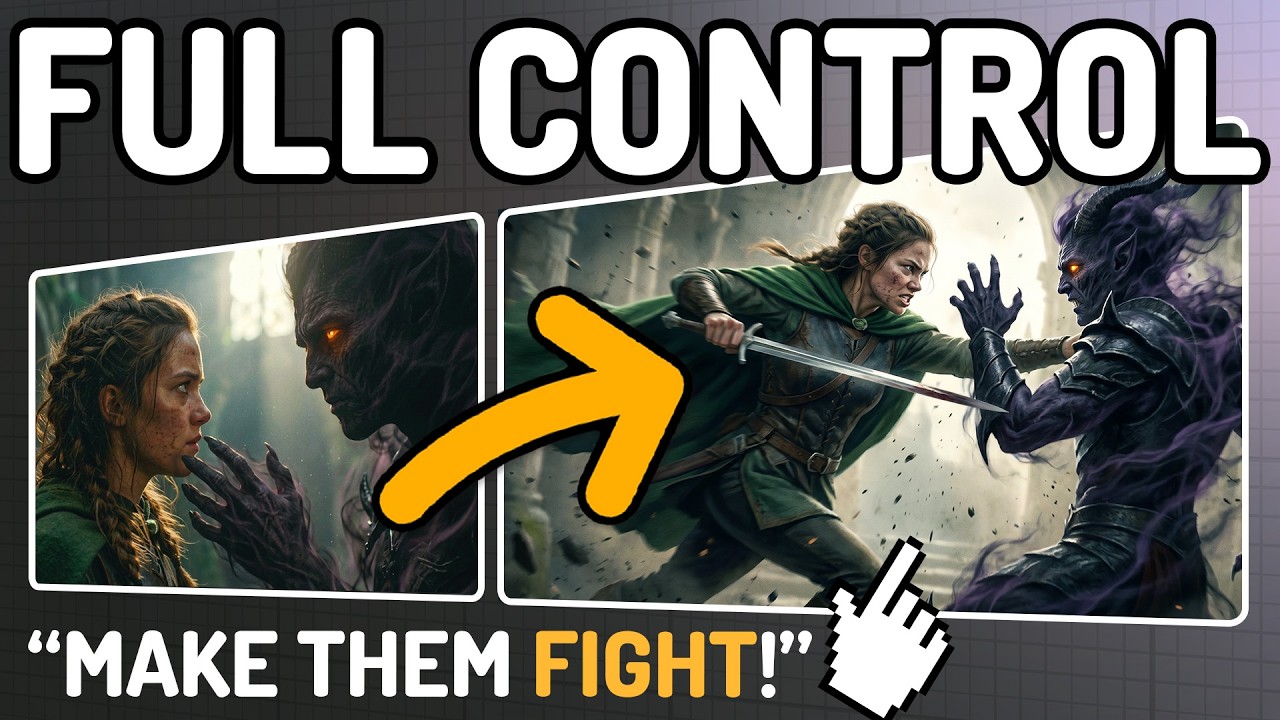
A New Way to Build AI Movies [FREE & LOCAL]
I built a free, fully local AI movie pipeline that lets you create entire short films shot by shot.
If you like my work, please consider supporting me on Patreon:
https://www.patreon.com/Mickmumpitz
Follow me on Twitter: https://twitter.com/mickmumpitz
In this tutorial I walk you through a new ComfyUI workflow built around LTX 2.3 and Flux 2 Klein. You give it character references, set references, a voice sample, and a prompt, it generates a start frame, turns it into a video with lip-synced dialogue, and moves on to the next shot. Nothing is baked in. Every shot is built from swappable references, which means you can rewrite a character, relocate a scene, or recast the lead at any point — for the cost of regenerating one shot.
I call this approach modular filmmaking, and this is the first workflow that actually makes it possible on a single consumer GPU.
What You'll Learn:
How to set up the modular movie pipeline locally in ComfyUI, why LTX 2.3 is now fast enough for real iterative filmmaking, how to use Flux 2 Klein as a reference-based start-frame generator, and how to keep character voices consistent across every shot using LTX's audio-reference ID-LoRA.
I also walk through the shot duplicator, color matching across shots, the asset group for designing weapons and props, and the final movie output assembler. At the end I demonstrate the full payoff — swapping the protagonist references and watching the entire trailer rebuild around a new lead.
Models & Tools Covered:
- LTX 2.3 (video generation)
- LTX Audio-Reference ID-LoRA (consistent voices)
- Flux 2 Klein 4B / 9B (reference-based image generation)
- ComfyUI
- RES4LYF (advanced samplers)
- Mickmumpitz custom nodes (Shot Duplicator, Shot Order, Shot Assembler)
DOWNLOAD LINKS:
? Free ComfyUI Workflow: [link]
? ComfyUI Installation Guide: [link]
? Advanced workflow + Example Files (Patreon): [link]
? RunPod Template*: [link]
Perfect for:
AI filmmakers, indie directors, storyboard artists, previs supervisors, concept artists, content creators, animation studios.
TIMESTAMPS:
00:00 Intro
01:00 The Models
01:57 Installation
03:35 The Workflow
04:35 Image generation
05:42 Video generation + dialogue
07:40 Swapping the protagonist
08:27 Advanced: 360 environment generation
09:04 Final movie output
16:00 Final film
Special Thanks:
Massive thanks to our Patreon supporters for making these workflows free and accessible. Join the community for example files, advanced workflows, exclusive Discord access, and help us keep producing sponsor-free content.
*Affiliate Link: If you sign up to RunPod using our link and add $10 to your account, we both get bonus credits. (More info: https://docs.runpod.io/references/referrals#important-details)
If you like my work, please consider supporting me on Patreon:
https://www.patreon.com/Mickmumpitz
Follow me on Twitter: https://twitter.com/mickmumpitz
In this tutorial I walk you through a new ComfyUI workflow built around LTX 2.3 and Flux 2 Klein. You give it character references, set references, a voice sample, and a prompt, it generates a start frame, turns it into a video with lip-synced dialogue, and moves on to the next shot. Nothing is baked in. Every shot is built from swappable references, which means you can rewrite a character, relocate a scene, or recast the lead at any point — for the cost of regenerating one shot.
I call this approach modular filmmaking, and this is the first workflow that actually makes it possible on a single consumer GPU.
What You'll Learn:
How to set up the modular movie pipeline locally in ComfyUI, why LTX 2.3 is now fast enough for real iterative filmmaking, how to use Flux 2 Klein as a reference-based start-frame generator, and how to keep character voices consistent across every shot using LTX's audio-reference ID-LoRA.
I also walk through the shot duplicator, color matching across shots, the asset group for designing weapons and props, and the final movie output assembler. At the end I demonstrate the full payoff — swapping the protagonist references and watching the entire trailer rebuild around a new lead.
Models & Tools Covered:
- LTX 2.3 (video generation)
- LTX Audio-Reference ID-LoRA (consistent voices)
- Flux 2 Klein 4B / 9B (reference-based image generation)
- ComfyUI
- RES4LYF (advanced samplers)
- Mickmumpitz custom nodes (Shot Duplicator, Shot Order, Shot Assembler)
DOWNLOAD LINKS:
? Free ComfyUI Workflow: [link]
? ComfyUI Installation Guide: [link]
? Advanced workflow + Example Files (Patreon): [link]
? RunPod Template*: [link]
Perfect for:
AI filmmakers, indie directors, storyboard artists, previs supervisors, concept artists, content creators, animation studios.
TIMESTAMPS:
00:00 Intro
01:00 The Models
01:57 Installation
03:35 The Workflow
04:35 Image generation
05:42 Video generation + dialogue
07:40 Swapping the protagonist
08:27 Advanced: 360 environment generation
09:04 Final movie output
16:00 Final film
Special Thanks:
Massive thanks to our Patreon supporters for making these workflows free and accessible. Join the community for example files, advanced workflows, exclusive Discord access, and help us keep producing sponsor-free content.
*Affiliate Link: If you sign up to RunPod using our link and add $10 to your account, we both get bonus credits. (More info: https://docs.runpod.io/references/referrals#important-details)

Mickmumpitz
MickMumpitz is a channel that is all about understanding new technologies from the worlds of digital art, film and games in a playful and project-oriented way....